
← Default view
Replacement Parts Division · Est. 2026 Catalog No. 3 · Survey Grade 32 References · 15 Min Read

The Utility
Belt — parts catalog

Windows-only power-user utilities & their Linux substitutes · 2026 edition · prices in workflow, not currency
Interior of a cooperative hardware store, 1942, shelves and counters stacked with tools and parts

Counter verdict

14 fit.
11 need work.
2 don't exist.
Of the 40-odd Windows-only utilities in the inventory, most have a straight or better Linux counterpart. Three force a real workflow change. Two have no answer at all — and the display server decides half the rest.
Plate 1 — the parts counter. Photograph: cooperative hardware store, 1942 (Wikimedia Commons).
14Direct fit ✓
11Field mod ⚠
2No substitute ✗
17Pieces in the PowerToys set
9Parts taxed by Wayland
Engraved cover of the 1887 Gibson, Parish & Co. illustrated hardware catalogue, Chicago
Plate 2 — Gibson, Parish & Co., Chicago, 1887. Jobbers, importers and manufacturers. Nobody has published a parts catalogue for a Windows-to-Linux migration, so this one borrows the form.

Read before ordering

  • Most of the belt transfers. 7-Zip ships an official Linux build [17], CopyQ beats Ditto [15], QDirStat ★ 2.5k is WinDirStat's direct descendant [16], KDE Connect beats Phone Link [24], and PDFtk still runs as pdftk-java [19].
  • Three parts force a workflow change. ShareX becomes three or four separate tools; Sandboxie's "run this .exe throwaway and discard the changes" has no equivalent — Linux sandboxes confine by profile, not by shadowing an installed app [25]; and 1Password is fine only from the deb/rpm, never the Flatpak [20].
  • Two parts are not stocked anywhere. AutoHotkey — the 2026 consensus is still that you replace it with three to five separate projects and accept that window automation is desktop-specific [2] — and Power Automate Desktop, which is Windows MSI/Store-only with no Linux build at all [18].
  • "Just use X11" is no longer a plan. GNOME 50 removed the X11 session in March 2026 [12] and Plasma 6.8 drops it in October 2026 [13]. Every stamp on every card below assumes a Wayland session.

Fit grade

✓ Direct fit  drop-in or better

⚠ Field mod  works, but you rebuild the workflow

✗ No substitute  part does not exist

Display-server stamp

Wayland ok  native or portal-clean

Wayland ⚠  portal prompts, missing queries, per-desktop bridges

X11 only  dies with the X session

Also stamped

Below the server  evdev/uinput or pure console — immune

Not applicable  nothing to display, or nothing to migrate

A worn monkey wrench photographed against a plain ground
Aisle 01

The main counter — 27 installed parts

Every row is an application actually installed on the machine. Windows part on top, struck; substitute below; fitter's note underneath. Sorted the way the shelf is stocked, not by grade.

A-01⚠ Field mod
WINPowerToys0.97.1
No single package. Roughly two-thirds of the 30 utilities are native Linux features; the rest need a named tool. See the 30-piece set in Aisle 02.
Ships 30 utilities as of 2026 [1]. FancyZones / Workspaces / Grab And Move are window management — a different aisle of this expedition.
Mixed
A-02✗ No substitute
WINAutoHotkey2.0.19
keyd ★ 5.8k + keymapper ★ 1.1k + Espanso ★ 14k + compositor keybinds
Assembled from parts, not bought. No single replacement exists [2]. Full exploded diagram in Aisle 03.
See aisle 03
A-03✗ No substitute
WINPower Automate Desktop
Robot Framework ★ 12k, UI.Vision RPA, Actiona ★ 727, n8n ★ 199k (cloud/API flows only)
Windows MSI/Store only, needs the Windows Desktop .NET runtime [18]. Nothing on Linux does record-and-replay UI automation over arbitrary GUI apps at PAD's level [31].
Not applicable
A-04✓ Direct fit
WINDitto3.25
CopyQ ★ 12k — a superset (scripting, tabs, item commands)
On Wayland: global shortcuts need xdg-desktop-portal, GNOME needs the CopyQ Shell extension, and modifier/mouse-position queries do not work [15]. Minimal alternatives: cliphist ★ 1.5k, clipse ★ 1.0k.
Wayland ⚠
A-05⚠ Field mod
WINShareX21.0 ★ 39k
Flameshot ★ 31k or grim+slurp+Satty ★ 2.3k; ksnip ★ 3.3k; plus Kooha ★ 3.5k / OBS ★ 74k for video
The single biggest workflow loss. Nothing bundles capture + annotate + OCR + custom uploader + history. Flameshot's own docs enumerate the Wayland breakage and conclude "We cannot do anything about it!" [14]. Custom uploaders become a shell script.
Wayland ⚠
A-06✓ Direct fit
WINSnipping Tool
Spectacle (KDE) / GNOME Screenshot
Both are Wayland-native and portal-based; Spectacle also records the screen.
Wayland native
A-07✓ Direct fit
WINWinDirStat2.2.2
QDirStat ★ 2.5k; Filelight; Baobab; gdu ★ 5.9k / dust ★ 12k / dua ★ 6.1k in the terminal
QDirStat is the KDirStat/WinDirStat lineage with the same treemap [16]. Free bonus part: Czkawka ★ 32k for duplicate hunting.
Wayland ok
A-08⚠ Field mod
WINSandboxie5.71.9 ★ 19k
Firejail ★ 7.6k; bubblewrap ★ 8.2k; Flatpak ★ 5.0k + portals
Different model, not a different brand. Windows-only and kernel-driver based [32]. Sandboxie shadows an installed app's writes and lets you discard them; Firejail applies a namespace/seccomp profile at launch, bubblewrap ships no profiles, Flatpak only confines Flatpak-installed apps [25].
Below the server
A-09⚠ Field mod
WINIrfanView4.73
XnView MP (closest, closed-source); nomacs ★ 3.1k; qView ★ 3.4k / qimgv ★ 3.1k for pure speed; ImageMagick ★ 17k for batch
XnView MP is the only one matching IrfanView's format breadth plus batch converter in one GUI [26]. Expect to move batch conversion to magick mogrify.
Wayland ok
A-10⚠ Field mod
WINPaint.NET5.1.11
Pinta ★ 3.8k; Krita; GIMP
Pinta is explicitly the Paint.NET-shaped option — layers, effects, low ceiling [27]. Paint.NET plugins (.dll) do not port.
Wayland ok
A-11✓ Direct fit
WINPaint
Same scope, same speed.
Wayland ok
A-12✓ Direct fit
WINPhotos
gThumb also covers tagging plus batch rename/convert [26].
Wayland ok
A-13✓ Direct fit
WINRaw Image Extension
RAW decoding is a library on Linux, not a shell extension — thumbnailers pick it up automatically.
Below the server
A-14⚠ Field mod
WINNotepad++8.9.1 ★ 29k
Kate; Notepadqq ★ 2.3k; VSCodium ★ 33k
No official Linux build; the Wine/Snap package is an unofficial third-party effort [22]. Kate is the honest upgrade (multi-cursor, LSP, sessions); Notepadqq is the nostalgia option. NPP plugins do not port.
Wayland ok
A-15✓ Direct fit
WINNotepad
GNOME Text Editor / Kate
Nothing to note. It is a text box.
Wayland ok
A-16✓ Direct fit
WIN7-Zip25.01 ★ 3.6k
Official 7zz 26.02 for Linux; p7zip; Ark / File Roller GUI
Upstream ships x86-64/x86/arm64/arm console builds [17] — same engine, same switches. Only the Explorer context menu is gone; file managers have their own.
Console
A-17✓ Direct fit
pdftk-java; qpdf ★ 5.3k; poppler-utils; PDF Arranger ★ 5.7k for the GUI
pdftk-java keeps the CLI verbatim, so existing scripts survive [19]; qpdf is the better long-term target for structural edits.
Console
A-18✓ Direct fit
WINClipchamp
All three exceed Clipchamp's ceiling [29]; you lose the stock-library and template layer.
Wayland ok
A-19✓ Direct fit
WINSound Recorder
Same name, same job, more ceiling.
Wayland ok
A-20✓ Direct fit
WINCommand Palette
Albert ★ 8.0k; Ulauncher ★ 4.5k; rofi ★ 16k (X11); Walker ★ 2.9k (Wayland)
Albert is the closest plugin-model match to PowerToys Run [28]; Walker or fuzzel if you go wlroots.
Split X11 / Wayland
A-21✓ Direct fit
WINWindows Terminal
Ghostty ★ 59k; WezTerm ★ 28k; kitty ★ 34k
Strictly better. WezTerm keeps the config-as-code plus multiplexer model closest to Windows Terminal profiles.
Wayland ok
A-22✓ Direct fit
WINPhone Link / Cross Device
LAN-only, no cloud account; adds bidirectional clipboard, remote input, run-command and presenter mode [24].
Wayland ok
A-23⚠ Field mod
WINSmart Connect (Motorola)8.0
The vendor-specific desktop-mode and app-streaming parts of the Moto stack have no Linux client. KDE Connect covers notifications, files, clipboard, media and remote input [24].
Wayland ok
A-24⚠ Field mod
WIN1Password8.12
1Password for Linux — deb / rpm / AUR / tar.gz
Full desktop client with system-authentication unlock via user password, fingerprint or security key [21]. Use the deb/rpm, never the Flatpak — the Flatpak loses system authentication, the SSH agent, and unified app↔browser unlock [20].
Wayland ok
A-25⚠ Field mod
WINDev Home
Nothing to migrate. The Linux analogue is declarative environment config — Nix, mise, devcontainers — not an app.
It was a dashboard over winget, WSL and GitHub. None of those three exist on the other side in that shape.
Not applicable
A-26⚠ Field mod
WINQuick Assist
RustDesk ★ 119k
Wayland capture via PipeWire and the XDG portal with a remembered consent dialog, multi-monitor since 1.4.3, permanent password for unattended access [23]. Pre-login and headless need a virtual-display setup — there is no "send a 6-digit code to a stranger" flow out of the box.
Wayland ⚠
A-27⚠ Field mod
WINWindows Security / McAfee
Drop both. ClamAV only if you scan files on behalf of Windows peers.
ClamAV is a signature scanner with no behavioural analysis, memory scanning or response — it is not a Defender replacement [30].
Not applicable
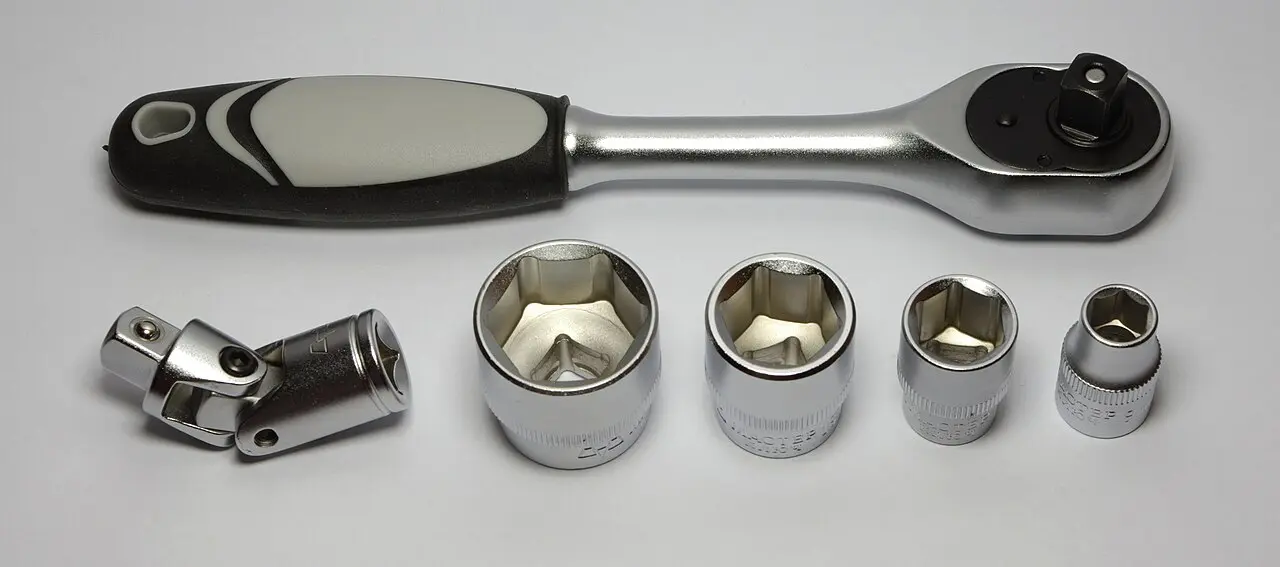
Socket wrench and a row of loose sockets laid out on a bench
Aisle 02

The 30-piece set, sold loose

PowerToys 0.97.1 plus the three shell-extension packages covers 30 utilities in one box [1]. Linux has no box — you pick the sockets you actually turn. Window management (FancyZones, Workspaces, Grab And Move) is racked in a different aisle of this expedition. The rest, socket by socket: 9 direct fit · 7 field mod · 1 not stocked.

PowerToys Run
Albert ★ 8.0k / Ulauncher ★ 4.5k / rofi ★ 16k
Albert has the same plugin/calculator/web-search model [28]
PowerRename
KRename, Thunar Bulk Rename, gThumb; rnr ★ 590 in the shell
Regex, preview and undo all present; rnr ships dry-run and undo scripts
ImageResizer
Nautilus/Nemo/Dolphin service menus over ImageMagick ★ 17k; Converseen
You write a one-line .desktop action once
FileLocksmith
lsof / fuser -v
No GUI, but Linux rarely blocks deletes on open handles — the problem mostly disappears
Text Extractor (OCR)
NormCap ★ 2.7k; Frog ★ 893
NormCap is the direct analogue [28]; on GNOME/Wayland every screen-grab tool inherits the portal prompt problem [14]
Color Picker
gpick, gcolor3, KColorChooser, hyprpicker
X11 pickers grab pixels freely; on Wayland use the compositor-native picker [28]
Advanced Paste
CopyQ ★ 12k item commands
Paste-as-plain-text and format conversion are scriptable; the AI-transform path is absent
Awake
systemd-inhibit, caffeine-ng, Plasma/GNOME keep-awake
Always On Top
Compositor keybind (KWin, GNOME extension, hyprctl)
Built into every window manager
Peek
GNOME Sushi / Dolphin preview / ranger+ueberzug
Quick Accent
XKB compose key / ibus
Native input-method feature; no helper app
Screen Ruler
KRuler, GNOME measurement extensions
KRuler is X11-oriented; on Wayland measurement is compositor-dependent
Mouse utilities
GNOME/Plasma accessibility: locate-pointer, click highlight, crosshair overlays
Distributed across accessibility settings, not one panel
Mouse Without Borders
Deskflow ★ 28k / Input Leap ★ 8.4k
Cross-machine KVM must inject input, so on Wayland it routes through the portal/libei path rather than raw X grabs [10]
Keyboard Manager
keyd ★ 5.8k / kanata ★ 7.7k
Strictly more capable — layers, tap-hold, per-device [3]
ZoomIt
Gromit-MPX ★ 1.4k, Plasma zoom effect, Kooha ★ 3.5k
Zoom + annotate + record on one hotkey has no single equivalent
Crop And Lock
Nothing reproduces the interactive cropped-thumbnail window.
Niche. Written off.
Close-up of a backlit computer keyboard
Aisle 03 · special order

AutoHotkey — the part made of four parts

AHK is four products in one: a hotkey daemon, a key remapper, a text expander, and a scripting language with window, GUI and COM automation. Linux splits these across three layers — and the layer determines whether the part survives Wayland at all.

Layer 1

Kernel input — evdev / uinput

Wayland-proof
★ 5.8k
layers
Layers, tap-hold, oneshot mods, macros, per-device and app-specific rules.Reads raw evdev and synthesises via uinput — works under X, Wayland and even a bare VT [3]. Linux-only; needs a root daemon.
★ 7.7k
layers+
Everything keyd does plus mouse output, chords, and one config you can reuse on Windows.Needs /dev/* access (avoid-sudo recipes exist); unicode output leans on ibus and is inconsistent, rapid key events can misfire [4].
★ 1.1k
context
The closest thing to AHK's mental model — per-application context rules keyed on window title, class or process.Wayland context awareness requires the compositor to report focus: automatic on wlroots, otherwise via its GNOME Shell extension or a KWin script; process path may be unavailable [5].
★ 5.0k
layers
QMK-style layers.Older, fewer features than kanata — which was inspired by it.
★ 2.1k
per-app
App-specific remapping, Wayland-aware.Needs a compositor-specific feature flag per desktop.
Layer 2

Text expansion

Wayland build experimental
★ 14k
in stock
The real answer, and genuinely good — triggers, forms, shell and script extensions, a package registry.Ships separate X11 and Wayland builds; the Wayland one is still labelled experimental, requires setcap cap_dac_override+p, needs non-US layouts declared explicitly, app-specific config only works on KDE-Wayland if you also install kdotool ★ 378, and a newly plugged keyboard requires espanso restart [6].
Layer 3

Scripted GUI automation — where AHK dies

✗ No substitute
★ 3.9k
X11 only
The historical AHK-for-Linux: Python scripting, phrase expansion, window operations.It "is a Xorg application and will not function in a Wayland session" [7]. The only Wayland-capable variant is the autokey-wayland fork ★ 27 — GNOME-only, KDE "planned" [8]. A 27-star fork is not a foundation for your automation.
★ 3.8k
X11 only
Input synthesis and window queries — X11-only by construction.On Wayland it only reaches XWayland clients.
★ 2.3k
partial
Types and clicks anywhere, because it "uses the uinput framework of Linux kernel to emulate an input device" instead of sending X events.Its daemon "requires root permissions" and it has no window query or manipulation commands at all [9].
★ 549
partial
Types via virtual-keyboard-unstable-v1.GNOME does not implement that protocol.
★ 3.0k / 854
hotkeys
Standalone hotkey daemons: sxhkd is X11-only, swhkd needs a privileged daemon.In practice you bind hotkeys in the compositor's own config instead.
★ 727
visual
The closest visual macro tool.Descends from the X11 automation stack.

Manufacturer's notice — what Wayland makes structurally impossible

There is no equivalent of XGrabKey or XTestFakeInput. A client cannot read the keyboard while unfocused, cannot enumerate or move other clients' windows, and cannot inject synthetic input. Everything goes through a broker:

  • Input injection → the XDG RemoteDesktop / InputCapture portals backed by libei. Integrated since portal 1.17 with persistent authorisation since 1.21, which means "clients using XDG portals now work with any compositor that implements the portal, with no need for GNOME/KDE-specific APIs" [10] — but it is consent-gated, and text, gesture and tablet support are still being added.
  • Global hotkeys → the GlobalShortcuts portal, still patchy: wlroots' xdg-desktop-portal-wlr ships no implementation at all, so registration outright fails on Niri, Sway and River [11].
  • Window manipulation → nothing portable. "You won't find a single alternative, but you'll have to find multiple projects for specific features… Window automation is DE/WM specific" [2].

Recommended assembly — bill of materials

Part 1
Remaps and layers. Swap in kanata if you want one config across both operating systems.
Part 2
Only if you need per-application rules. Budget for the compositor bridge.
Part 3
All text expansion. Declare your layout; expect a restart after keyboard hotplug.
Part 4
Compositor keybinds
Bound to shell scripts — this is what replaces AHK's scripting language.

Accept that pixel-hunting and window-poking macros do not port. Rewrite them against CLIs and D-Bus instead.

An engineer's bench vise clamped to a workbench
Aisle 04 · workshop bench

Three parts you rebuild, not replace

These three all have Linux answers. None of them has the same answer — the shape of the workflow changes, and knowing that up front is the difference between a smooth week and a bad one.

ShareX → assemble your own capture rig⚠ Field mod

Verdict: the single biggest workflow loss in the inventory.

Nothing on Linux bundles capture + annotate + OCR + custom uploader + history. You build it: Flameshot ★ 31k for the all-in-one, or grim+slurp feeding Satty ★ 2.3k if you want the Wayland-native pipeline; ksnip ★ 3.3k as the third option; Kooha ★ 3.5k or OBS ★ 74k for video; NormCap ★ 2.7k for the OCR slot.

Flameshot's own documentation enumerates the Wayland breakage — repeat portal prompts on GNOME, multi-monitor overlay bugs, shortcuts that do not fire — and states plainly: "We cannot do anything about it!" [14]. Custom uploaders become a shell script; that part is actually an upgrade.

Sandboxie → confinement by profile, not by shadow⚠ Field mod

Verdict: "run this throwaway and discard the changes" has no direct equivalent.

Sandboxie is Windows-only and kernel-driver based [32]. The mental model is what breaks: Sandboxie shadows the writes of an app you already installed and lets you throw them away afterwards. On Linux, Firejail ★ 7.6k applies a namespace and seccomp profile at launch time, bubblewrap ★ 8.2k is the low-level primitive and ships no ready-made profiles, and Flatpak ★ 5.0k only confines apps you installed through Flatpak [25].

1Password → right product, wrong package will hurt⚠ Field mod

Verdict: fine on Linux — and one packaging choice decides that.

The full desktop client is there, with system-authentication unlock via your Linux user password, fingerprint or other biometrics, or a security key [21]. Install the deb or rpm (or AUR, or the tar.gz). Do not install the Flatpak: it loses system authentication, loses the SSH agent, and loses unified app↔browser unlock [20] — three things you will notice on day one.

A set of precision screwdrivers laid out in order of size
Aisle 05 · quality control

Inspection sheet — the Wayland tax

Still X11-only or degraded in 2026, among every tool named in this catalog. This matters because GNOME 50 [12] and Plasma 6.8 [13] no longer offer an X11 session to fall back to.

Form QC-2026 · inspected against a Wayland session
PartStampInspector's finding
AutoKey (upstream) ★ 3.9kX11 onlyWill not function in a Wayland session [7]
xdotool ★ 3.8kX11 onlyX11 protocol by definition; only reaches XWayland clients
sxhkd ★ 3.0kX11 onlyX11 key grabs
Flameshot ★ 31kWayland ⚠Portal-dependent; documented GNOME permission-prompt loops, multi-monitor overlay and hotkey failures [14]
Espanso ★ 14kWayland ⚠Separate experimental Wayland build; setcap, layout declaration, keyboard-hotplug restarts, app-specific config only via kdotool on KDE [6]
CopyQ ★ 12kWayland ⚠Needs the portal for shortcuts and a Shell extension on GNOME; modifier and mouse-position queries unavailable [15]
ydotool ★ 2.3kWayland ⚠Works, but root daemon and no window operations [9]
wtype ★ 549Wayland ⚠Requires virtual-keyboard-unstable-v1, absent on GNOME
keymapper ★ 1.1kWayland ⚠Context rules need a per-compositor bridge; process path may be unavailable [5]
keyd ★ 5.8k / kanata ★ 7.7k / Espanso's input layerPassedBelow the display server entirely [3]

Purchasing recommendation

Pick KDE Plasma or GNOME, not a wlroots compositor, if input automation matters at all — the portal implementations everything above depends on are simply missing on wlroots [11].

Stocked shelving in a 1942 cooperative hardware store
Aisle 06 · clearance bin

Already in stock — no order needed

Operating-system features or one-line installs. No research required; nothing to decide.

7-Zip → upstream 7zz, identical CLI [17] Hosts File Editor /etc/hosts Environment Variables → shell rc / environment.d Registry Preview → no registry exists Command Not Found → ships with Debian/Ubuntu and Fedora Shortcut Guide → desktop keyboard-shortcut settings File Explorer add-ons → thumbnailers are system-wide New+ ~/Templates Light Switch → scheduled night/dark theme Power Display ddcutil / brightness applet Snipping Tool Spectacle / GNOME Screenshot Paint Drawing / KolourPaint Photos Loupe / Gwenview Notepad → GNOME Text Editor / Kate Sound Recorder GNOME Sound Recorder Windows Terminal Ghostty / WezTerm / kitty RAW extension → LibRaw, already in every thumbnailer clip.exe / PowerShell clipboard wl-clipboard ★ 2.4k Windows Security / McAfee → uninstall, do not replace [30]

Other catalogs in this series

References — 32 sources

Colophon. Replacement Parts Catalog No. 3, compiled from the survey The utility belt: per-tool Linux verdicts for a Windows power user (2026), one of seven angles in Throwing away Windows: a replacement plan for an actual installed-software inventory. Every part number corresponds to a program actually installed on the machine. Plate photographs from Wikimedia Commons. Filed in the Atlas.