KDE Plasma 6.7
Roughly 80% of DisplayFusion out of the box, plus something Windows itself cannot do. Assembled from four pieces rather than one product.
DisplayFusion, Fences, FancyZones and X-Rite are not applications you swap one-for-one — they are shell extensions. On Linux the shell is the desktop environment, so three contenders play for the right to replace them.
It is the only desktop that natively covers per-monitor panels, per-screen wallpaper, arbitrary fractional scaling, per-screen ICC profiles usable together with HDR, and — new in 6.7, after 21 years of requests — per-screen virtual desktops [1][2]. FancyZones comes back as PlasmaZones ⭐ 296 [3].
WHAT IT COSTS → Fences has no equivalent, that workflow disappears [8] · DisplayFusion's monitor-splitting and one-click window profiles degrade to scripts · X-Rite becomes copied factory .icm files plus ArgyllCMS, with no VCGT loading on Plasma Wayland [34]

Roughly 80% of DisplayFusion out of the box, plus something Windows itself cannot do. Assembled from four pieces rather than one product.

Makes FancyZones irrelevant and treats multi-monitor as core design, but deletes the Fences workflow and the taskbar concept entirely.

Needs three extensions to reach a per-monitor taskbar and zone snapping, and still cannot put a different wallpaper on each screen.
One row per capability you currently get from DisplayFusion, Fences, FancyZones or X-Rite. Win = shipped and native. Draw = reachable, with an add-on or a caveat. Loss = not available at all.
| Capability | KDE Plasma 6.7 Wayland | GNOME 50 + extensions | Tiling WM Hyprland / niri / sway |
|---|---|---|---|
| 01Taskbar on every monitor | WNative panels per screen; panel cloning since 6.3 [40] | DDash to Panel ⭐ 4.4k [15] | DPer-output bar (Waybar) — not a Windows-style window list |
| 02Taskbar shows only that screen's windows | DSetting exists; stops being honoured after suspend on NVIDIA until plasmashell restarts [14] | DDash to Panel "isolate monitors" [15] | WMoot by design — outputs own their workspaces [49] |
| 03Different wallpaper per monitor | WNative, per-screen [16] | LStill unsupported in 2026 [17] | Whyprpaper, per-monitor by output name [19] |
| 04One image spanning all monitors | LOpen request [16] | LManual image compositing [17] | DSuperpaper ⭐ 1.3k, on an X11-era DE list [18] |
| 05FancyZones-style zone layouts | WBuilt-in editor keeps only one layout [11] → PlasmaZones ⭐ 296 brings 26 layouts, per-monitor and per-desktop [3] | WTiling Shell ⭐ 2.0k — layout editor + snap assistant, GNOME 42–50 [12][13] | WInherent, but a different model — no free-floating zones |
| 06Save / restore window arrangement | DRememberWindowPositions ⭐ 246 KWin script [27]; KWin now speaks the Wayland session-management protocol [25] | DThird-party extension only | WDeclarative window→workspace rules in config |
| 07Restore layout after dock / undock | DHistorically KWin's weak spot [28] | DExtension-dependent | Dkanshi restores outputs, not windows [29] |
| 08Monitor-configuration profiles, auto-applied on hotplug | Wkscreen stores per-arrangement JSON; kscreen-doctor for scripting [30] |
Dmutter remembers layouts, but no named profiles | Wkanshi ⭐ 718 — profiles on hotplug [29][50] |
| 09Monitor splitting into virtual monitors | LNot available | LNot available | LNo compositor exposes this; zone layouts are the nearest substitute [3] |
| 10Desktop icon groups (Fences) | DMultiple Folder View widgets, each a filtered folder [20] | DDING "stacks" — groups by file type only [21] | LNo desktop layer at all |
| 11Rule-based auto-sorting of desktop icons | LNot available | LNot available | LNot available |
| 12Per-monitor fractional scaling | WArbitrary values — 137%, 163% [39] | D25% steps; fractional needs an experimental gsettings flag [39][38] | WPer-output scale in config; niri keeps its own UI pixel-perfect [49] |
| 13Sharp XWayland apps under mixed DPI | DRendered at one scale, then rescaled [39] | DSame [39] | Dforce_zero_scaling workaround [39] |
| 14Per-screen ICC profile | WIn KWin Wayland since 2023 [35] | WSettings → Color; wp_color_management v2 in GNOME 50 [38] | DHyprland yes; niri does not document it [49] |
| 15ICC profile and HDR at the same time | WNew in 6.7 [1][36] | DHDR and colour-management v2 both present; this combination is not claimed [38] | DCompositor-dependent |
| 16Independent virtual desktops per screen | WNew in 6.7 — a 21-year-old request, shipped 16 Jun 2026 [1][2] | LOnly "span all displays" or "primary only" [51][52] | WNative |
| 17Resolution / refresh / HDR / VRR per monitor from the GUI | WSystem Settings → Display | WSettings → Displays | DConfig file plus kscreen-doctor / wlr-randr equivalents |
POINTS · W=3 D=1 L=0 MAX 51 |
32 9W 5D 3L |
18 3W 9D 5L |
28 7W 7D 3L |
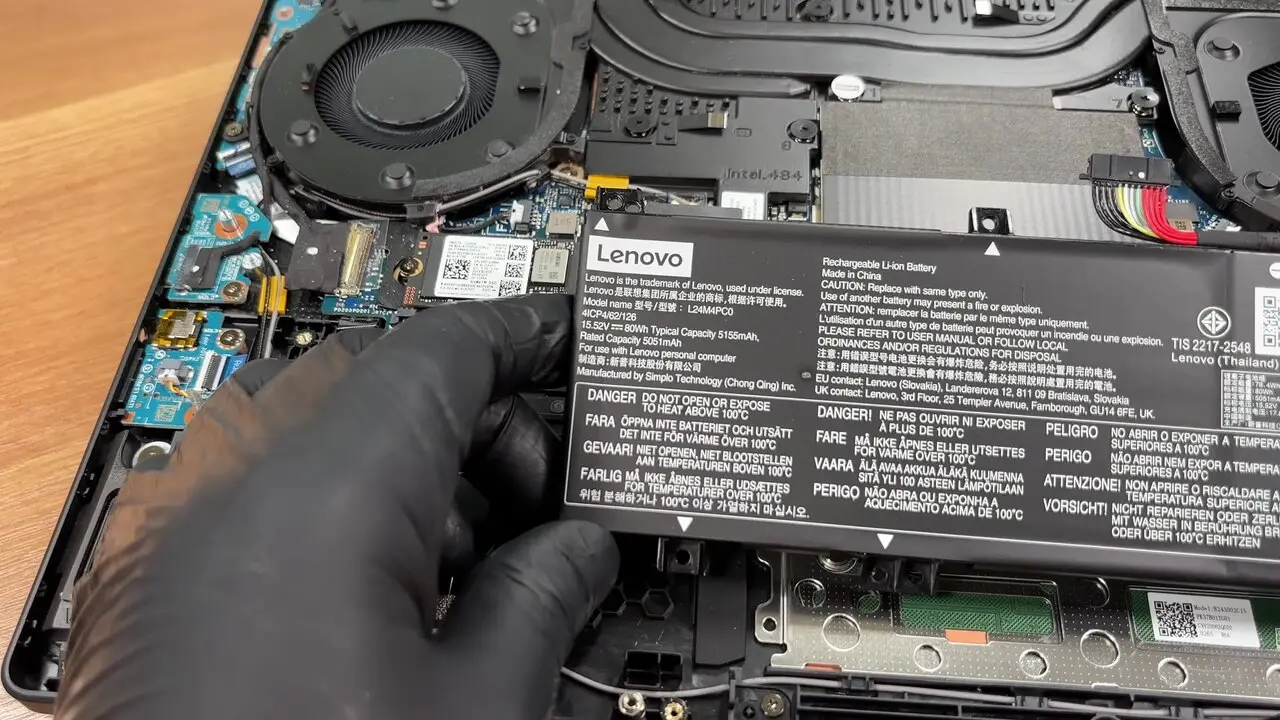
On many Legion models the internal panel is driven by both GPUs, but every external output — HDMI and USB-C alike — is wired to the NVIDIA GPU only, and hybrid mode has produced blank external displays [46].
A long-standing report has mutter failing to initialise the dGPU and falling back to CPU rendering specifically when a secondary screen is attached to it, while single-display hybrid works fine [44]. NVIDIA's own forums carry the same complaint for KDE, GNOME and Cinnamon [45], and Legion "Hybrid (iGPU only)" BIOS modes cause problems of their own [47].
Plasma 6.7 is the last release with an X11 session [4] and 6.8 drops it [5], with more than 95% of Plasma 6.6 users already on Wayland [6]. Two of the pieces you need — PlasmaZones and per-screen colour management — are Wayland-only anyway [3][35].

In: Plasma panels + kscreen / kscreen-doctor + PlasmaZones ⭐ 296 + RememberWindowPositions ⭐ 246
Taskbars, per-monitor wallpaper, hotkeys and monitor profiles all land. Lost: monitor splitting, TitleBar buttons, and Triggers — the window-created / desktop-unlock event scripting [7].

In: nothing that plays the same position. Folder View widgets are a genuine Folder Portals equivalent [20]; DING stacks group by type [21][23].
No automation rules, no roll-up, no Peek — and users report you cannot even hand-order icons inside a Folder View [24]. Grouping by file type is not grouping by intent. The realistic migration is to stop using the desktop as a filing system.
In: PlasmaZones ⭐ 296 on Plasma 6.4+ Wayland [3], or Tiling Shell ⭐ 2.0k on GNOME [12]
KDE's built-in editor alone is not enough — it cannot store multiple layouts [11]. PlasmaZones adds per-monitor and per-virtual-desktop layouts, which FancyZones never had.
In: the factory .icm files copied to /usr/share/color/icc and assigned per screen; recalibrate with ArgyllCMS + DisplayCAL / displaycal-py3 ⭐ 1.6k [31][32]
Color Assistant is a profile loader, not a calibrator — it only restores Lenovo's factory sRGB / Rec.709 / HDR profiles [10]. There is nothing to port, just the files. Copy them off before you wipe the partition.
In: System Settings → Display — resolution, refresh, HDR, VRR, per-monitor scaling
nvidia-settings is largely inert under Wayland; the desktop owns display config. KWin auto-enables VRR for fullscreen apps, and unlike X11 multiple monitors do not break G-Sync [48].

Drag-to-snap tiling as a KWin effect: 26 built-in layouts, per-monitor, per-desktop and virtual-screen. Plasma 6 on Wayland only [3].
Restores position, size, screen and virtual desktop per application on Plasma 6+. Caption matching at 85% misfires on titles with counters, and its Session Restore interaction is unofficial — it has caused crash loops [27].
The standard hotplug profile switcher — and it can blank the laptop panel when docked [29][50]. Inside KDE, kscreen already keys config to the connected-output set.
The maintained Python 3 fork of DisplayCAL, targeting Python 3.9+ [32]. ArgyllCMS underneath supports the X-Rite / Calibrite i1 Display line with vendor corrections [31].
A Windows-style panel for GNOME with per-monitor and per-workspace isolation — the only route to a real taskbar on that shell [15].
Layout editor and snap assistant, multi-monitor with differing scale factors, GNOME 42 through 50 [12][13].
The only real answer to one image across all monitors, but its supported-DE list is rooted in X11-era tooling [18].
As many as you like on the desktop, each pointing at a different folder, filtered by regex or file type [20]. Two or three for the folders you actually touch, and a launcher for everything else.
Multi-monitor as core design from the start, mixed DPI working, all its own UI pixel-perfect under fractional scaling — and no documented colour management [49].
The protocol picture is finally good. color-management-v1 merged upstream in February 2025 after five years and 800+ review comments, covering ICC profiles and HDR for colour-aware and unaware clients alike [37]. KWin has assigned per-screen ICC profiles since 2023 [35], and Plasma 6.7 removed the last compromise: an ICC profile while HDR is active [1][36]. GNOME 50 shipped wp_color_management v2 plus HDR screen sharing [38].
The regression is the video-card gamma table. Plasma on Wayland exposes no API to set VCGT, so calibration curves are never loaded into the GPU LUT — the correction has to live in the profile and be applied by the colour-management system instead [34]. A 2026 walkthrough of the whole loop flags the same trap: applying an ICC profile only inside a colour-managed app is insufficient, because that app will not set the VCGT tables [33].
For a factory-profile-loading workflow that is acceptable. For hardware-calibrated grey tracking it is a real loss versus Windows.
Shaded groups that sort new files by rule, collapse to a title bar, and float above every window on Win+Space [8].
No compositor exposes one physical monitor as several virtual ones, and there is no event-scripting layer for window creation or desktop unlock [7].
Calibration curves cannot be pushed into the GPU LUT on Plasma Wayland [34].
Rider replaces Visual Studio + ReSharper at the cost of the WinForms/WPF designers; SSMS has no Linux successor.
Office, Teams and mail are a tolerable compromise; OneDrive sync and OneNote are where the gap is real.
Most Windows-only utilities transfer cleanly; AutoHotkey and Power Automate Desktop have no single answer.
Both installed games run under Proton — the only hard loss is the NVIDIA App and Game Bar tooling layer.
Neither corporate VPN blocks the switch; the losses are QuantumENGINE, Dolby, XTU and Lenovo's bloat.
Wine for single-window utilities, a local VM for Visual Studio and SSMS — and no GPU passthrough on a muxless Legion.