← Default view
SPEC SHEET   HW-2026-001  ·  ALWAYS-ON BOX  ·  REV 04-28

Five categories. Twelve boxes. One Kill-A-Watt.

Synology DSM is still the best NAS software, but the 2025 Plus drive lock-in pulled ServeTheHome's recommendation[3] and prices keep rising with no real hardware upgrade[5]. This sheet is the alternatives — measured at the wall, not vibed. Idle-watts axis is the centrepiece because every continuous watt is €2.63/yr at €0.30/kWh.

good (axis-positive) caveat / unofficial missing / hard NO idle-watts gradient N=12 platforms · 101 citations · 5 categories
FIG. 01 · IDLE WATTAGE AT THE WALL — HEADLESS, NO DISKS

The axis everyone ignores until the bill arrives.

A box that idles 24W instead of 7W costs an extra €44/year at €0.30/kWh — for the next decade. The cheapest mini-NAS often loses on TCO before year three. Bars below are wall-meter measurements (Kill-A-Watt class), headless and diskless unless noted. Scale: 0–35W.

0W5101520253035W
Radxa Rock 5BRK3588 · eMMC only
1.7 W[23]
Raspberry Pi 5 (D0)2GB · BCM2712
2.0 W[22]
Beelink S12 ProN100 · Proxmox headless
7 W[16]
ASRock N100DC-ITXDIY · 19V DC-in
7 W[28]
Intel i5-12400 ITXASUS H770 · powertop tuned
7 W[19]
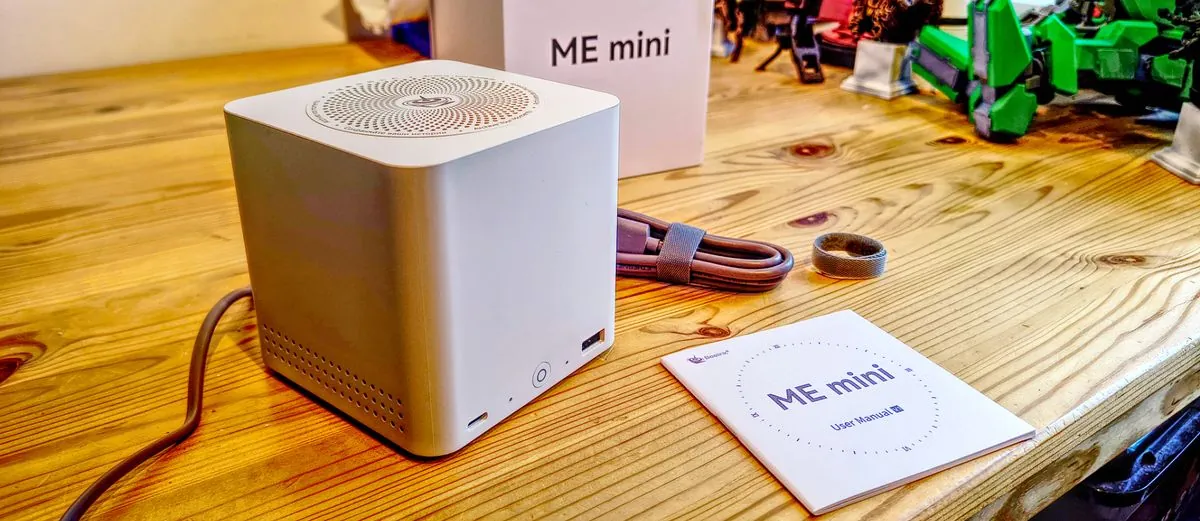
Beelink ME miniN150 · 6× M.2 NVMe
7 W[50]
i3-N305 fanless firewallServeTheHome · Proxmox VE 8
10 W[18]
Lenovo M90q Tiny Gen2i7 · used enterprise
13 W[20]
Beelink SER5 MaxRyzen 7 5800H
18 W[17]
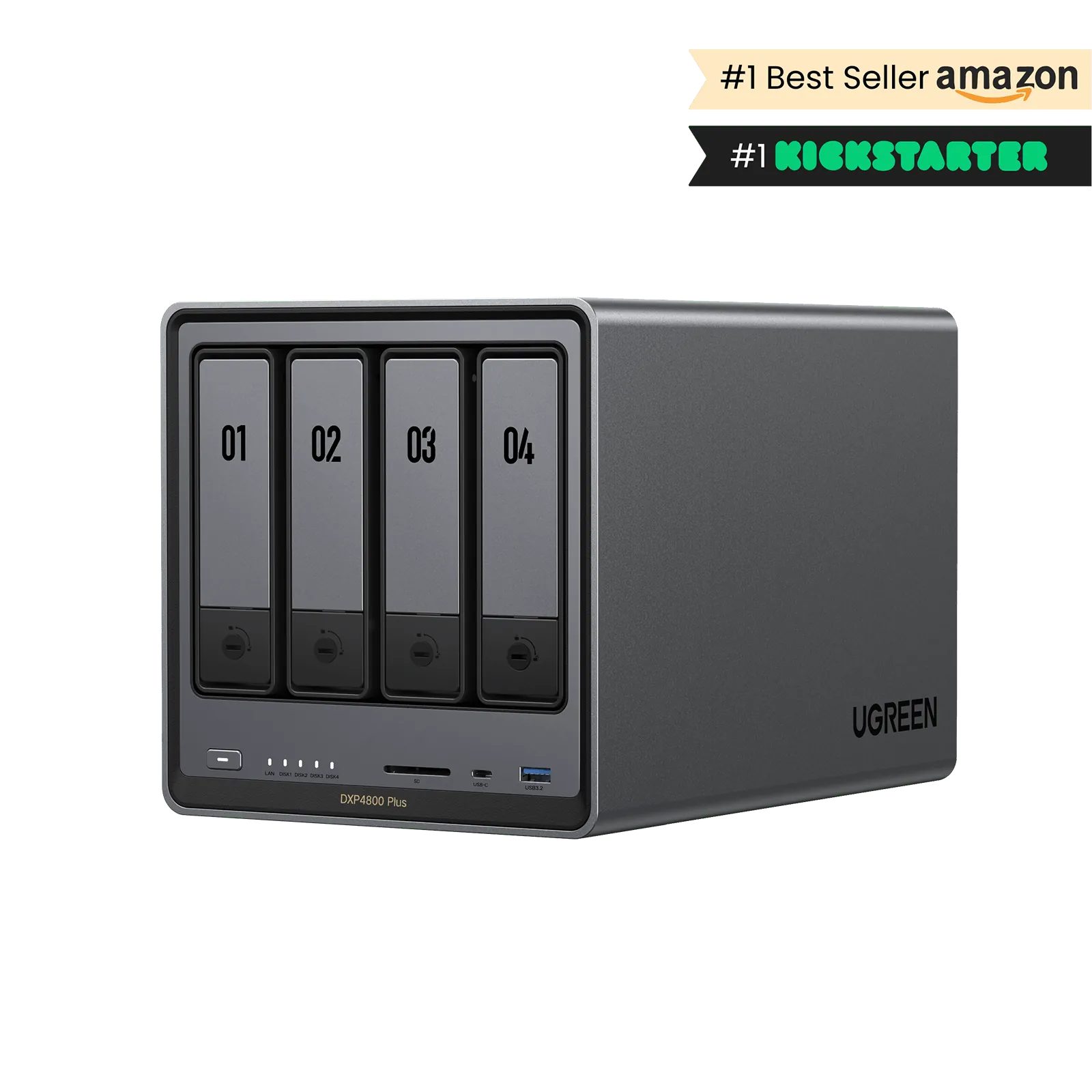
UGREEN DXP4800 PlusPentium 8505 · 4-bay loaded
24 W[33]
Ryzen 5600G NASDIY AM4 · no disks
28 W[71]
Minisforum N5 ProHX PRO 370 · 5-bay loaded
33 W[46]
VERDICT · 1 OF 5
For all-flash, lowest power, no spinning disks: Beelink ME mini ($209-329, ~7W idle, six M.2 NVMe slots in a 99mm cube)[49][50]. For a turnkey 4–6 HDD Synology replacement: UGREEN DXP4800 Plus at $620 with 10GbE+2.5GbE, BYO-OS friendly[34]. For maximum bays without DIY: Aoostar WTR Max, 11 bays + dual 10GbE SFP+, $649[37].

The bench — cards by sample.

FIG. 02 · 8 prebuilt + DIY references
SAMPLE A · HERO
Beelink ME mini all-flash NAS

Beelink ME mini

Intel N150 · 99mm cube · 12GB LPDDR5
Idle
~7 W
M.2 slots
6× NVMe
SATA bays
0
NIC
2× 2.5GbE
ECC
No
IPMI
No
Idle wattage7 W
If you want all-flash, lowest power, no spinning rust — this is it.
$209–329 [49] [50]
SAMPLE B
UGREEN DXP4800 Plus

UGREEN DXP4800 Plus

Pentium Gold 8505 · DDR5 · UGOS Pro or BYO
Idle
~24 W
SATA bays
4 + 2 M.2
NIC
10GbE + 2.5GbE
Warranty
2 yr
ECC
No
BYO-OS
Yes
Idle wattage24 W
If you want a 4–6 HDD Synology replacement that runs Proxmox or TrueNAS day one.
$620 [29] [33] [34]
SAMPLE C
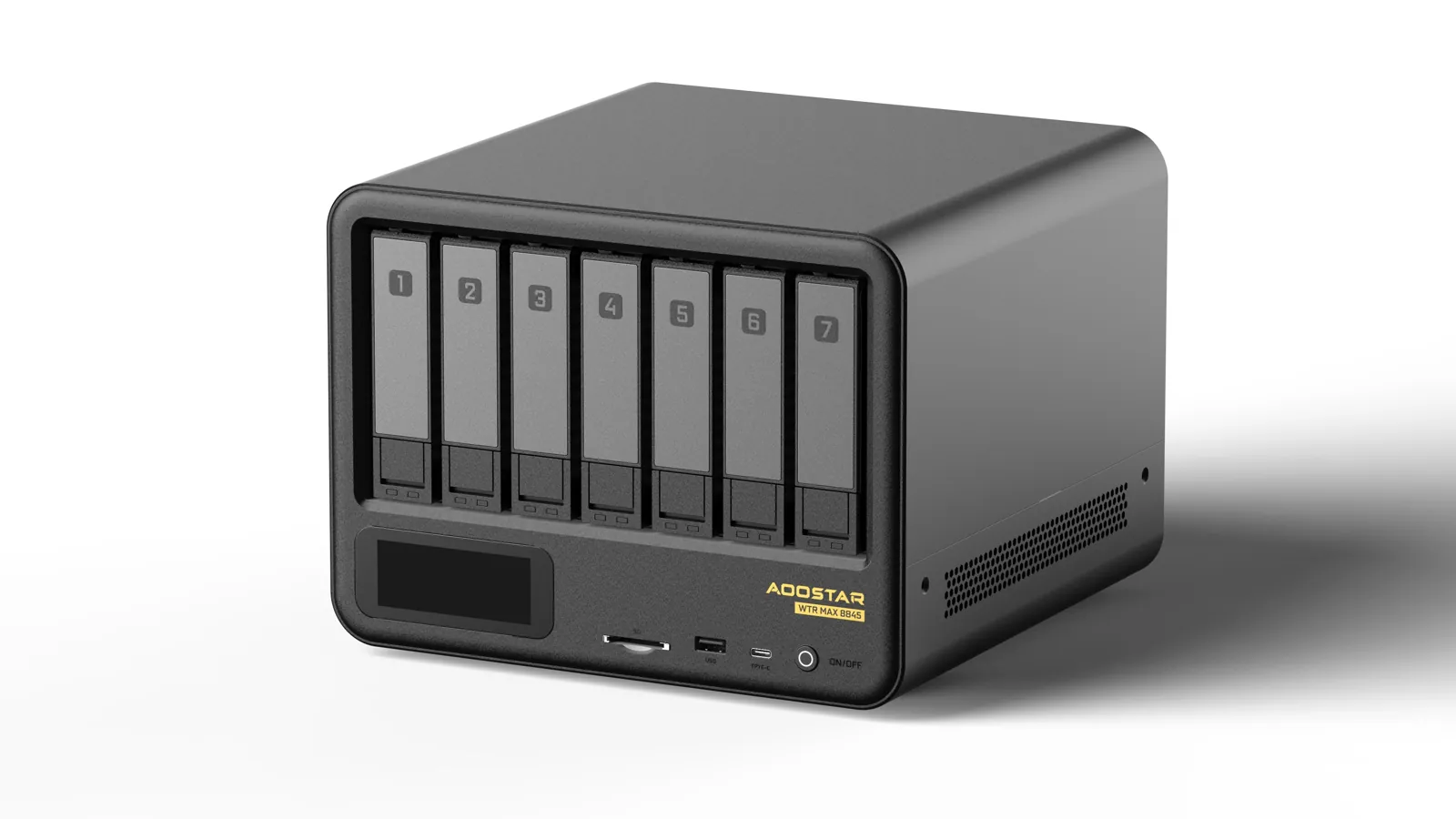
Aoostar WTR Max 11-bay NAS

Aoostar WTR Max

Ryzen 7 PRO 8845HS · BYO ECC · 11 bays
Idle
n/a (BYO)
Bays
6 SATA + 5 NVMe
NIC
dual 10GbE SFP+
Expansion
OCuLink + USB4
ECC
Yes (DDR5)
Vendor OS
None — BYO
Idle wattage~25–32 W est.
If you want maximum bays without going DIY. "Almost perfect" per virtualizationhowto.
$649–699 [36] [37] [56]
SAMPLE D
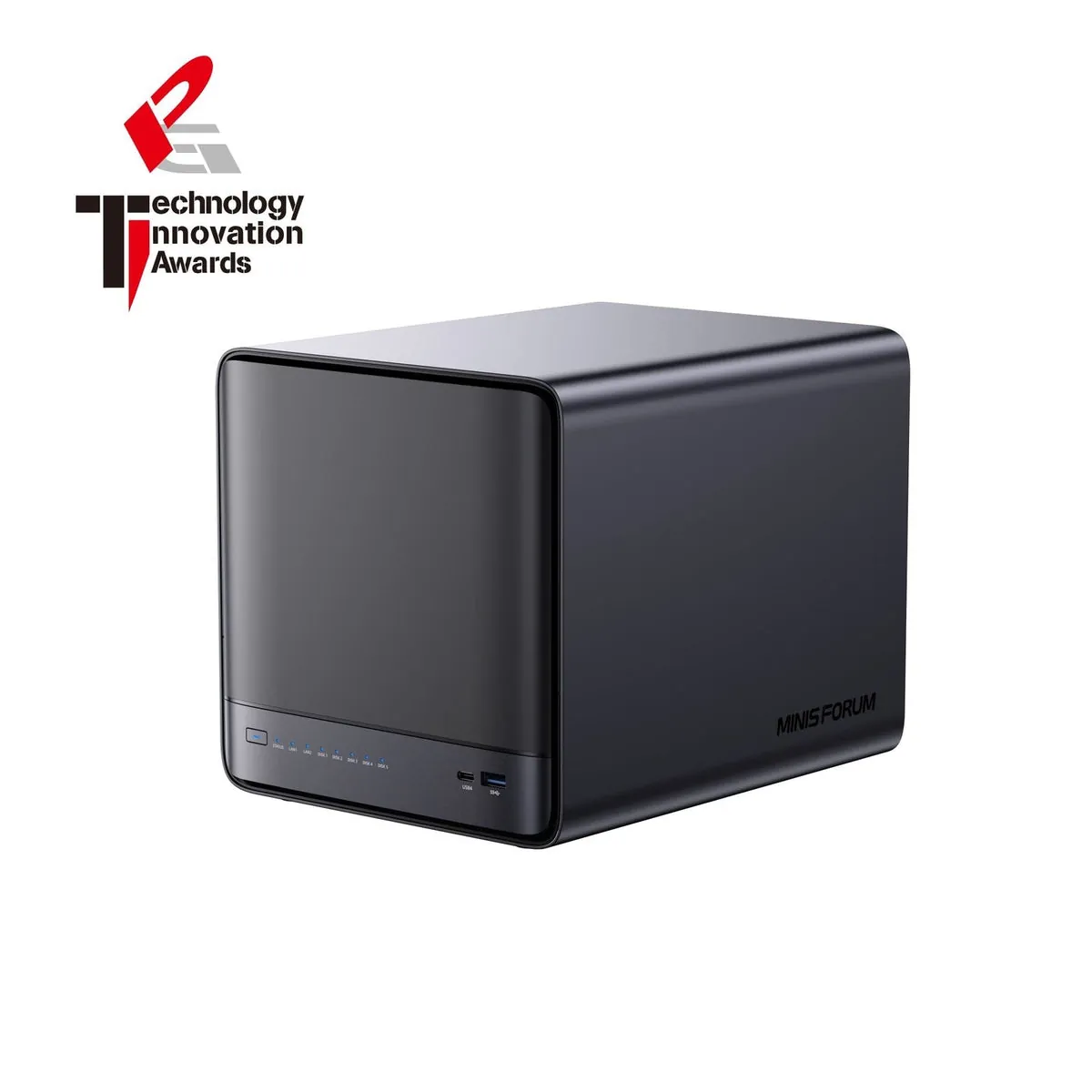
Minisforum N5 Pro

Minisforum N5 Pro

Ryzen AI 9 HX PRO 370 · up to 96GB ECC · BYO
Idle
32–34 W
Bays
5 SATA + 3 M.2
NIC
10GbE + 5GbE
RAM
96GB ECC
ECC
Yes
IPMI
No
Idle wattage33 W
If you want Zen 5 NAS perf and ECC in one box — but pay for it in watts.
$1,019 barebone [44] [45] [46]
SAMPLE E
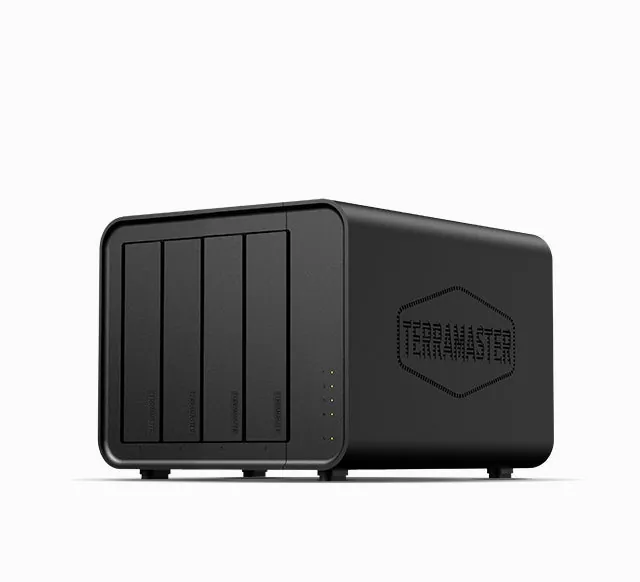
TerraMaster F4-424 Pro

TerraMaster F4-424 Pro

i3-N305 · 32GB DDR5 · TOS or BYO
Idle
n/a published
Bays
4 SATA + 2 M.2
NIC
2× 2.5GbE only
RAM
32GB DDR5
Warranty
2 yr replace
Vendor OS
TOS — gripes
Idle wattage~12 W est.
If 2.5GbE is enough and you want a 2-year brand-new replacement warranty.
$450–550 [40] [41] [55]
SAMPLE F
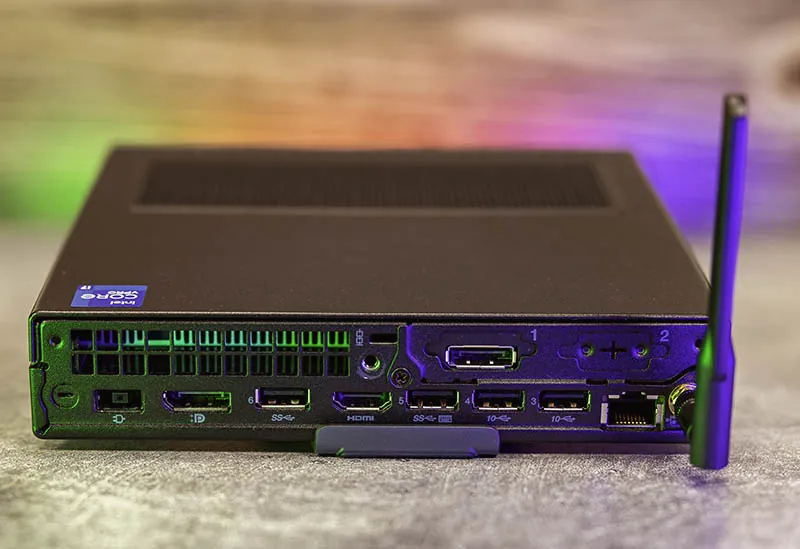
Lenovo ThinkCentre M90q Tiny Gen2

Lenovo M90q Tiny Gen2

Used enterprise · "tiny trio" + JetKVM pairing
Idle
12–14 W
Storage
2× M.2 + 1× 2.5"
NIC
1× 2.5GbE
Price
$100–250
ECC
No
IPMI
No (use JetKVM)
Idle wattage13 W
If you want $169 cluster nodes from corporate refresh fleets and don't need bulk HDD bays.
$100–250 + $69 KVM [7] [20] [83]
SAMPLE G · DIY
JONSBO N3
+ CWWK i3-N305

Jonsbo N3 + CWWK i3-N305

DIY 8-bay budget · 32GB DDR5 · TrueNAS SCALE
Idle (target)
~14–20 W
Bays
8× 3.5" + 2× M.2
NIC
4× 2.5GbE
CPU
Soldered N305
Cooler
Replace stock
Warranty
Topton/CWWK risk
Idle wattage~17 W
If you want 8 spinning bays for $650–770 diskless and accept the soldered-CPU risk.
$650–770 diskless [74] [61] [73]
SAMPLE H · ECC + IPMI
ASROCK RACK
B650D4U
µATX · AM5 · BMC

ASRock Rack B650D4U

µATX · AM5 / EPYC 4004 · DDR5 ECC · onboard IPMI
ECC
DDR5 UDIMM
IPMI
Onboard BMC
PCIe
5.0
CPU
Ryzen 7000–9000
NIC base
Dual 1GbE
Price
~$264
Idle wattage~25–35 W est.
If you want the cleanest path to ECC + IPMI in 2026. Pair with Jonsbo N5 for 12 bays.
~$264 board [66] [79]

ECC + IPMI — what's actually required, and what works.

The "ZFS demands ECC" religion outpaces the data. Use ECC if your platform supports it. Don't avoid ZFS if it doesn't. Below: every realistic 2026 path to ECC, and where IPMI sits on each.

Matt Ahrens · ZFS co-creator "There's nothing special about ZFS that requires/encourages the use of ECC RAM more so than any other filesystem. […] If you love your data, use ECC RAM. Additionally, use a filesystem that checksums your data, such as ZFS." [75]
Path
Memory
ECC
IPMI
Notes
Intel N97/N305 In-Band ECC
soldered LPDDR5 only
caveat
No
SO-DIMM doesn't qualify [81]
ASRock Rack B650D4U (AM5)
DDR5 ECC UDIMM
Yes
Yes
Cleanest AM5 path [66]
ASRock Rack EC266D2I (Xeon E-2400)
DDR5 ECC
Yes
Yes
Cleanest Intel path [77]
Ryzen 7000 non-PRO on ASRock Rack
DDR5 ECC
unofficial
Yes
Works via AGESA [79]
Ryzen 8000G non-PRO
No
No
OEM PRO only [80]
Minisforum N5 Pro / Aoostar WTR Max
DDR5 ECC SO-DIMM
Yes
No
Pair with PiKVM/JetKVM [44][82]

Storage ceilings — bays, NVMe, and where the lanes go.

Heatmap on capacity counts: darker green = more. The all-flash pure-M.2 platforms split their NVMe lanes asymmetrically — only the headline slot runs full Gen4 x4. Asustor's Flashstor is the canonical example: one Gen4 x4, three x2, four x1.

Platform
HDD bays
M.2 NVMe
PCIe slot
External
Beelink ME mini
0
6
USB
UGREEN DXP4800 Plus
4
2
USB
UGREEN DXP8800 Plus [105]
8
2
PCIe 4.0 x4 (awkward)
USB
Aoostar WTR Max
6
5 (mixed lanes)
OCuLink + USB4
OCuLink
Asustor Flashstor 12 Pro
0
12 (asymmetric)
USB
Jonsbo N3 + CWWK N305
8
2
1× PCIe x1
Jonsbo N5 + ASRock Rack + LSI 9300-8i
12 → 24+
2–3
8 slots, full ATX
HBA expanders

The drives dominate the meter. Eventually.

Idle wattage of the platform is a third of the story; the spinners do the rest. Per-watt math: 1W continuous = 8.76 kWh/yr = €2.63/yr (€0.30/kWh)

Drive
Idle (spinning)
Standby
Active
€/yr × 4 always-on
Seagate IronWolf Pro 20TB [24]
5.5 W
1.0 W
7.7 W
€58
WD Red 14TB [25]
3.0 W
0.8 W
6.5 W
€32
Consumer NVMe (Linux ASPM) [26]
0.5–1 W
3–5 W
€8
Consumer NVMe (broken BIOS / FreeBSD) [26]
~4 W
5 W
€42

ZFS resists effective spindown — transaction groups close every 5–30 s and metadata writes touch every disk [27], so for ZFS users the always-spinning column is the realistic one. Backblaze 2025 fleet AFR fell to 1.36% with 20TB+ drives now ~23% of the fleet [100]; 24TB rebuilds run 2–3 days [102] so IBM recommends RAID-6/RAIDZ2 over RAID-5 once drives cross 20TB [103]. Buy fewer, bigger drives.

Pick by profile.

FIG. 03 · DECISION CARDS
If you want…PROFILE 01
All-flash, lowest power
Beelink ME mini
$209–329, ~7W idle, 6× M.2 NVMe in a 99mm cube. [49][50]
~7W idle · $209–329
If you want…PROFILE 02
Synology replacement, 4–6 HDD
UGREEN DXP4800 Plus or DXP6800 Pro
10GbE, BYO-OS friendly, 2-year warranty. [29][30][34]
~24W idle · $620 / $1,028
If you want…PROFILE 03
Maximum bays prebuilt
UGREEN DXP8800 Plus or Aoostar WTR Max
8 SATA / 11 mixed bays + dual 10GbE. [31][36]
$649 – $1,283
If you want…PROFILE 04
DIY 8-bay budget
Jonsbo N3 + CWWK i3-N305 + 32GB DDR5
$650–770 diskless; soldered CPU is the tradeoff. [74]
DIY · $650–770
If you want…PROFILE 05
DIY 12-bay scale-out, ECC + IPMI
Jonsbo N5 + ASRock Rack B650D4U + LSI 9300-8i
12 HDD + HBA expanders, BMC, AM5 ECC. [58][66][94]
$249 case + $264 board · DIY
If you want…PROFILE 06
Used enterprise / cluster nodes
Lenovo M720q / M90q + JetKVM
$100–150 + $69 KVM. Pair for remote console. [7][20][83]
$100–250 + $69
If you want…PROFILE 07
ECC + IPMI compact
ASRock Rack EC266D2I + Xeon E-2400 + Jonsbo N3
Compact, ECC, BMC — Intel side of the same coin. [77][78]
DIY · ECC + BMC
If you want…PROFILE 08
Replace a Pi for general home server
Beelink S12 Pro N100
~4× perf, x86, NVMe, 16GB at the same accessorized price as a Pi. [9]
~7W idle · $130–160

Avoid — measured failures, not vibes.

⊠ AVOID
SBC / Raspberry Pi for general home server. No Quick Sync; ARM cores can't keep up with a single 1080p software transcode. [10]
⊠ AVOID
USB-DAS for ZFS pools. TrueNAS warns explicitly. openzfs/zfs ⭐ 12k discussions document Zen/Zen2 + UAS checksum/I-O errors and pool-locking USB resets. [96][97][98]
⊠ AVOID
Ryzen 8000G non-PRO if you want ECC. AMD confirmed it's missing despite initial claims. [80]
⊠ AVOID
Synology Plus 2025+ with existing third-party 16TB+ drives. Lock-in restricts dedup, lifespan analysis, firmware updates, pool creation. [3][4]
⊠ AVOID
Topton/CWWK boards if you want a warranty path. Generic Chinese silicon, no clear support, soldered CPUs, weak stock coolers. [12][62]
⊠ AVOID
PicoPSU once 10GbE NICs and HDD spin-up enter. PicoPSUs are efficient at <40–50W; move to Flex-ATX/SFX when surge enters. [72]

The other three angles of this expedition.

expedition

OS and storage stack without lock-in

Picking a NAS OS and storage stack for a 2026 self-built home server, with portability and Synology-migration cost as the primary axes.

survey

Migrating off Synology DSM

How to leave DSM in 2026: where to land (TrueNAS/Unraid/Proxmox/UGREEN), how to move the data without losing it, and which open-source apps replace which DSM packages.

survey

Remote access and always-on operations

Default stack for replacing Synology QuickConnect, plus a survey of mesh VPNs, public tunnels, UPS/NUT, WoL, IP-KVM, and uptime monitoring for an always-on home server.